
If you have ever backed up photos to Google Photos, streamed a movie on Netflix, or saved a work document to Google Drive so you could open it on another device, you have already used cloud computing and storage without even realizing it. Yet when people search “what is cloud computing and storage,” they are usually looking for something more concrete than marketing buzzwords — they want to know what actually happens behind the scenes, why it matters, and whether it is worth paying for.
This guide breaks it down in plain language: what cloud computing and cloud storage really are, how they differ, the real advantages, and where you can find solid free cloud computing storage in 2026.
What Is Cloud Computing and Storage, Really?
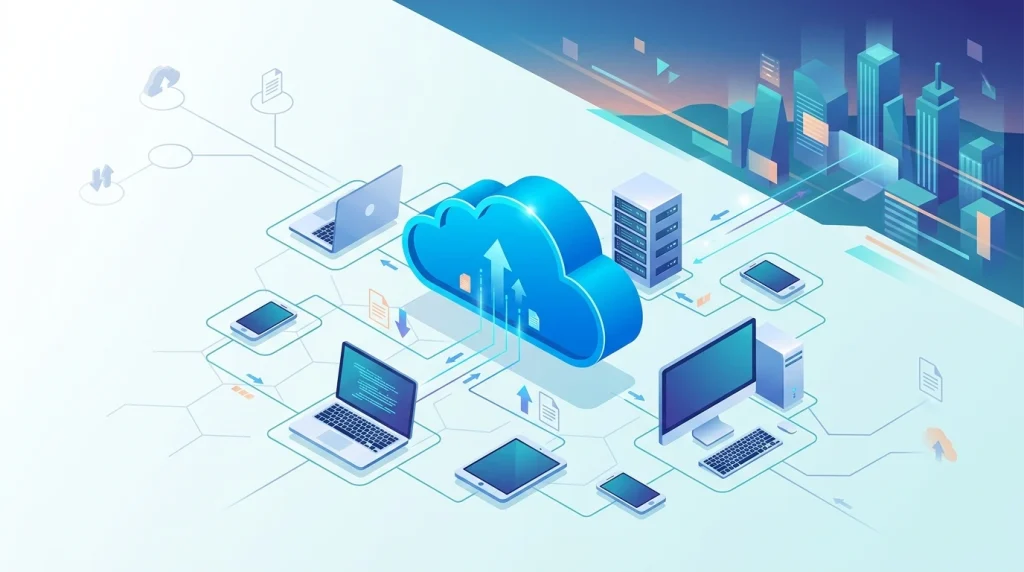
At its core, cloud computing is the delivery of computing services — servers, databases, processing power, and software — over the internet instead of running everything on your own device. Rather than your phone or laptop doing all the heavy lifting, a network of remote data centers does it for you, and you simply access the results through an app or browser.
Cloud storage is one specific piece of that bigger picture. It refers to saving your files, photos, videos, and documents on remote servers maintained by a provider (like Google, Apple, Microsoft, or Dropbox) instead of on your device’s internal memory or a physical hard drive. When people search for “cloud computing file storage,” this is usually exactly what they mean — a place to keep files safely, accessible from any device, anywhere.
So in short:
- Cloud computing = renting computing power and services over the internet
- Cloud storage = renting space to store your data over the internet
Storage is essentially the foundation layer, while computing includes storage plus processing, networking, and running applications entirely in the cloud.
How Cloud Computing Storage Actually Works
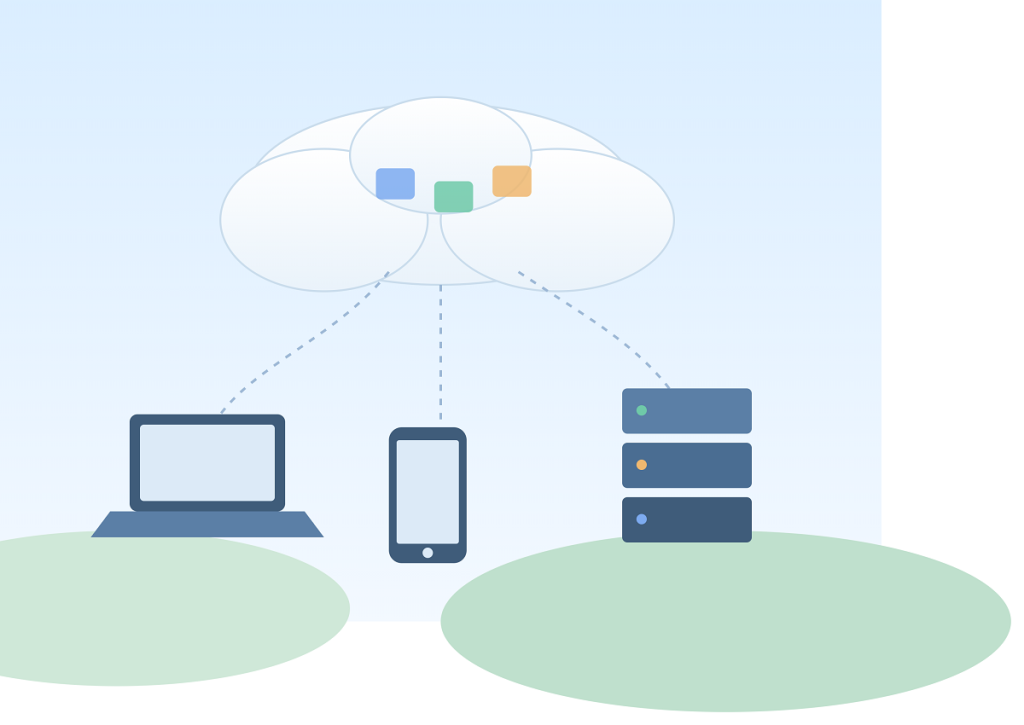
When you save a photo to Google Photos or edit a document in Google Docs, your device sends that data over a network connection to a data center, where it’s processed and stored on physical drives. Multiple copies are usually kept across different locations for redundancy, so if one server fails, your data survives.
This constant back-and-forth relies on high-speed fiber optic networks that carry massive amounts of data between data centers and to your devices in milliseconds.
When you upload a file to a cloud storage storage than local drive, it does not just vanish into thin air. Here’s the simplified journey:
- Upload – Your file is sent over the internet to the provider’s data center.
- Encryption – Reputable providers encrypt the file both during transfer and while it sits on their servers.
- Redundant storage – Rather than storing one copy, providers usually replicate your data across multiple physical servers, often in different regions, so a hardware failure in one location does not mean your data is gone.
- Sync and access – The file becomes accessible from any device where you are logged in, and any changes you make sync automatically across all of them.
This is why cloud computing storage feels almost magical in practice — you edit a document on your laptop, and it is instantly updated on your phone.
The Three Main Types of Cloud Computing
- IaaS (Infrastructure as a Service) — raw computing power and storage, rented by the hour (e.g., AWS EC2, Azure VMs).
- PaaS (Platform as a Service) — a ready-made environment for building apps without managing servers (e.g., Heroku, Google App Engine).
- SaaS (Software as a Service) — finished software you use through a browser (e.g., Gmail, Netflix, Dropbox).
Advantages of Cloud Computing Storage

Search interest around “advantages of cloud computing storage” has grown steadily as more people ditch external hard drives. Here are the biggest benefits:
1. Access From Anywhere
Your files are not tied to one device. Lose your phone, and your photos are still sitting safely in the cloud, ready to sync onto your next device.
2. Protection Against Data Loss
Local storage is vulnerable to spilled coffee, drops, theft, and drive corruption. Cloud storage protects against all of these because your data lives on professionally maintained servers with backup redundancy.
3. Automatic Backups
Most cloud services back up your data continuously or on a schedule, removing the need to remember to do it yourself.
4. Easy Collaboration
Cloud computing makes real-time collaboration possible — multiple people can edit the same spreadsheet or document simultaneously, something that was nearly impossible with local-only files.
5. Scalability
Need more space? Most providers let you upgrade storage instantly without buying new hardware.
6. Cost Efficiency Over Time
Instead of spending a lump sum on external drives that eventually fail or fill up, cloud storage plans usually cost a small monthly fee that scales with your actual needs.
Best Free Cloud Computing Storage Options in 2026
Not everyone needs a paid plan right away. If you are just looking to back up photos, documents, or a few important files, these free tiers are worth checking out:
Free Cloud Storage,
Side by Side.
Six providers, measured on the same scale. Tank fill shows free storage relative to the largest free tier on this list — MEGA’s 20GB.
Google Drive
Microsoft OneDrive
Apple iCloud
Dropbox
MEGA
pCloud
A quick tip: if you use multiple ecosystems (say, an Android phone and a Windows laptop), stacking free tiers across two or three of these providers can comfortably cover most casual users’ storage needs without spending a single rupee.
Cloud Storage vs. Local Storage: Which Should You Use?
Local storage — an external hard drive, a USB stick, or your device’s internal drive — keeps data physically with you. It’s fast and doesn’t depend on an internet connection, but it’s vulnerable to theft, damage, or simple loss.
Cloud storage trades that physical control for accessibility — your files sync across every device you own and survive even if your laptop dies, since the actual data lives in a data center rather than on the machine in front of you.
The honest answer for most people in 2026 is both. Relying solely on your phone’s internal memory is risky — one drop, one software crash, or one theft, and everything is gone. On the other hand, keeping absolutely everything in the cloud can be slower to access without a stable internet connection and may run into monthly costs once you outgrow the free tier.
A hybrid approach works best:
- Keep frequently used files and apps on local storage for speed.
- Back up photos, important documents, and anything irreplaceable to the cloud automatically.
Final Thoughts
Cloud computing and storage are no longer optional extras — they are the backbone of how most of us use smartphones, laptops, and even smart home devices today. Whether you are trying to free up space on your phone, protect your family photos, or collaborate on work documents in real time, understanding the difference between cloud computing and cloud storage — and picking the right free or paid plan — can save you from a lot of future headaches.
If you are still deciding on a provider, check out our detailed comparison of the best cloud storage and cloud backup services in 2026 for pricing and security breakdowns tailored to real-world use.
Frequently Asked Questions
What is cloud computing, in plain English?

Cloud computing means using computing power — servers, databases, software, storage — that lives on someone else’s hardware, accessed over the internet, instead of running everything on your own device. Instead of buying a physical server or installing software locally, you rent capacity from a provider (like Amazon Web Services, Microsoft Azure, or Google Cloud) and use it on demand, paying only for what you consume.
What is cloud storage, and how is it different from cloud computing?
Cloud storage is one specific slice of cloud computing. It’s just the “save your files remotely” part — think Google Drive, Dropbox, or OneDrive. Cloud computing is the bigger umbrella that also includes processing power, databases, networking, and running entire applications on remote infrastructure. All cloud storage is cloud computing, but not all cloud computing is storage.
How does cloud storage actually work?

When you upload a photo or document, it travels over the internet to a data center, where it’s saved on physical drives (usually with multiple copies across different servers or locations for redundancy). You retrieve it the same way — your device sends a request, and the file streams back down. The “magic” is just someone else’s well-maintained hardware plus a sync app that makes it feel instant and local.
What are the main types of cloud computing services?
IaaS (Infrastructure as a Service): Rented raw computing power, storage, and networking (e.g., AWS EC2). You manage the operating system and software.
PaaS (Platform as a Service): A ready-made environment for building and deploying apps without managing servers (e.g., Google App Engine).
SaaS (Software as a Service): Fully built applications you use through a browser or app (e.g., Gmail, Slack, Dropbox).
What’s the difference between public, private, and hybrid cloud?
Public cloud: Shared infrastructure run by a third-party provider (AWS, Azure, Google Cloud) and used by many customers.
Private cloud: Dedicated infrastructure used by a single organization, either self-hosted or hosted by a provider.
Hybrid cloud: A mix of both — some workloads stay on private infrastructure for control or compliance, while others run on public cloud for scale and flexibility.
Is cloud storage actually safe?
Reputable providers use encryption in transit and at rest, redundancy across multiple data centers, and access controls. That said, “safe” depends on your provider and your own habits (weak passwords, no two-factor authentication, or sharing links carelessly are bigger risks than the cloud itself). For maximum privacy, look for providers offering zero-knowledge encryption, meaning even the company can’t read your files.
What’s the best free cloud storage option in 2026?
It depends on your priority:
Best all-around free option: Google Drive, with 15 GB free shared across Gmail, Google Photos, and Drive, plus deep integration with Docs and Sheets.
Most generous free storage: MEGA, which offers up to 20 GB permanently free (headline offers of 50 GB are typically time-limited promos).
Best for privacy: Proton Drive or MEGA, both built around end-to-end/zero-knowledge encryption.
Best for Windows/Office users: Microsoft OneDrive, which integrates tightly with Windows and Microsoft 365.
Best for Apple users: iCloud Drive, for seamless syncing across iPhone, iPad, and Mac.
Can I combine multiple free cloud storage accounts to get more space?
Yes. A common strategy is stacking several free tiers — for example, Google Drive (15 GB) + MEGA (20 GB) + pCloud, Box, or Icedrive (10 GB each) — which can add up to 60–80 GB of free space total. The tradeoff is convenience: managing files across several accounts. Tools that connect multiple cloud accounts into a single dashboard can make this less painful, letting you search and organize without duplicating files.
What should I actually look for when comparing cloud storage services?
Free tier size and whether it’s truly permanent (vs. a limited-time promo)
File size limits on uploads
Encryption standard — look specifically for zero-knowledge or end-to-end encryption if privacy matters to you
Sync speed and reliability across your devices
App/ecosystem integration (Google Docs, Microsoft Office, Apple Photos, etc.)
Ease of sharing and collaboration if you work with others
Is cloud storage the same as a backup?
Not automatically. Cloud storage syncs files so they’re accessible everywhere, but if you delete a file (or it gets corrupted) and that change syncs, it can affect the cloud copy too. A true backup usually means either enabling a provider’s version history/recovery feature, or using a dedicated backup service that keeps separate, point-in-time copies of your data.
What are the biggest downsides of cloud computing and storage?
Ongoing costs once you exceed free tiers, which can add up over time versus a one-time hardware purchase
Internet dependency — no connection generally means no access
Privacy tradeoffs, since your data lives on someone else’s servers (mitigated by zero-knowledge encryption)
Vendor lock-in, where switching providers later can be a hassle
Are there non-cloud alternatives if I want more control?
Yes. Options include:
NAS (Network-Attached Storage) devices — physical drives on your home or office network
External hard drives — offline, one-time cost, no subscription
Self-hosted platforms like Nextcloud — cloud-like features (sync, sharing, access anywhere) but running on your own hardware These trade convenience and automatic redundancy for greater privacy and no recurring fees.
Do I need to pay for cloud storage, or is free enough?
For most individual users — students, casual photo storage, everyday documents — a free tier (or a couple of stacked free tiers) is genuinely enough. Paid plans start making sense when you’re storing large media libraries, need advanced collaboration features, want guaranteed zero-knowledge encryption, or are running a small business that needs more reliable shared storage.
What is “quantum-safe” or “post-quantum” encryption, and do I need it in 2026?
This refers to encryption designed to resist future decryption by quantum computers, protecting against so-called “harvest now, decrypt later” attacks, where someone steals encrypted data today intending to unlock it once quantum computing matures. It’s a growing feature among privacy-focused providers, but for most everyday personal use, standard strong encryption (AES-256, zero-knowledge) is still perfectly adequate. It’s worth prioritizing only if you’re storing highly sensitive, long-lifespan data.
How much free cloud storage can I realistically get without paying anything?
Combining permanent free tiers from major providers can reasonably get you somewhere in the range of 60–80 GB total in 2026, though headline numbers from any single service (especially limited-time promotional offers) should always be double-checked against the provider’s current, permanent free-tier terms before you rely on them.

Dal Bahadur is a passionate tech enthusiast, hardware reviewer, and the founder of Phadera Tech. With years of experience in mobile technology and digital troubleshooting, he specializes in deep-dive smartphone reviews, gadget guides, and practical tech tips. His goal is to help readers make informed decisions before buying their next gadget.