
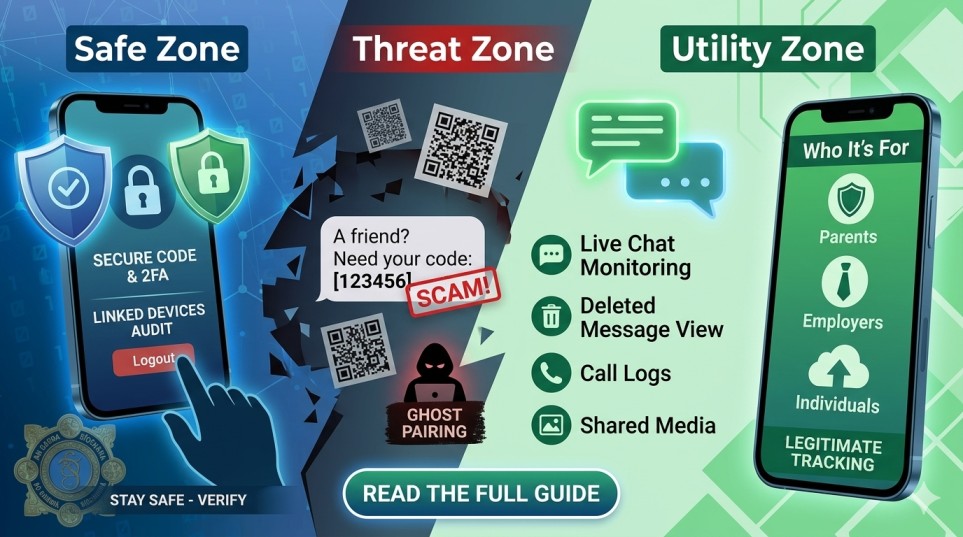
In the modern digital landscape, your WhatsApp account isn’t just a messaging app—it’s a digital diary, a bank vault, and a direct line to your loved ones. But as we rely more on it, the risks have scaled exponentially. From the rise of sophisticated “Ghost Pairing” to the ethical dilemmas of “Monitoring Apps,” staying informed is no longer optional; it’s a survival skill.
In this guide, we’ll dissect the most dangerous scams currently circulating and explore how you can legitimately monitor activity for safety without compromising your digital integrity.
Table of Contents
Part 1: The Anatomy of a WhatsApp Hijack
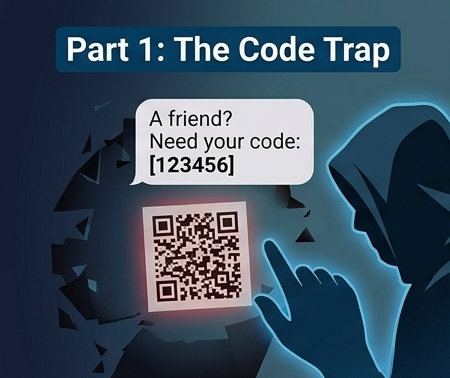
1. The “Verification Code” Trap
One of the most common ways people lose access to their accounts is through simple social engineering. As highlighted by An Garda Síochána, the scam follows a deceptive 6-step cycle:
- The Hook: A fraudster attempts to register your phone number on a new device.
- The Bait: You receive a text from a “friend” (whose account has already been hacked) claiming they accidentally sent a code to your number.
- The Kill: Once you forward that 6-digit code, the hacker takes over. They immediately enable Two-Step Verification, locking you out of your own life for days while they solicit “loans” or “donations” from your entire contact list.
2. The Rise of “Ghost Pairing”
Unlike the verification scam, Ghost Pairing is a silent killer. It involves a hacker secretly linking their computer or tablet to your account via the “Linked Devices” feature.
How it works: You receive a message with a “cool link” or a QR code to “view a prize.” If you scan it, the hacker is instantly synced to your account. They can see every message you send and receive in real-time without you ever getting a notification that someone else is logged in.
Part 2: The Defensive Shield – How to Stay Safe
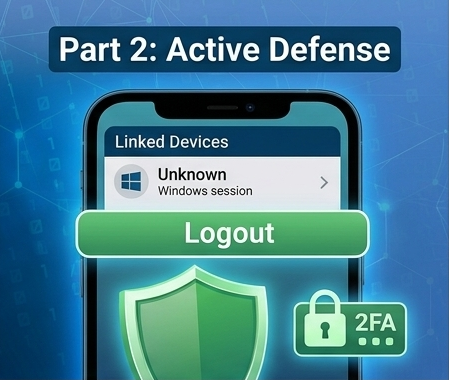
To ensure your account doesn’t become a statistic, follow these non-negotiable security protocols:
- Never Share Your Code: No legitimate entity—not WhatsApp, not your bank, and certainly not a friend—will ever ask for your 6-digit verification code.
- Audit Linked Devices: Go to
WhatsApp Settings > Linked Devices. If you see an “Active” session on a Windows PC or Mac that you don’t recognize, log it out immediately. - Enable the PIN: Set up Two-Step Verification (Settings > Account). This adds a personalized PIN that is required even if a hacker manages to steal your SMS code.
Part 3: The Ethical Use of WhatsApp Trackers
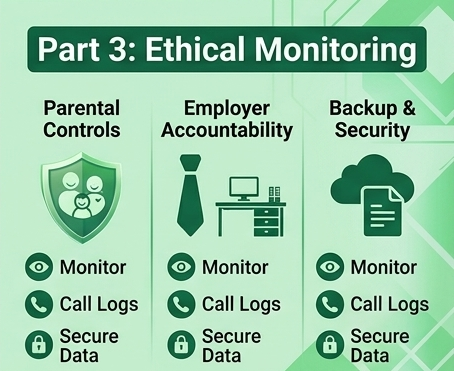
While we focus on defense, there is a legitimate side to WhatsApp monitoring—specifically for parents and employers. Apps like OneMonitar and ChyldMonitor provide tools that are essential in a world of cyberbullying and corporate data leaks.
Why Use a Tracker?
- Child Protection: The internet is a “Wild West.” Trackers allow parents to detect cyberbullying early, prevent contact from strangers, and understand their teen’s social behavior.
- Corporate Accountability: Employers often use these tools on company-issued devices to ensure that proprietary data isn’t being leaked to competitors and to improve employee productivity.
- Data Security: Many individuals use trackers as a secondary backup for their own chats, ensuring that if their phone is lost or stolen, their business-critical conversations are saved.
Top Features of Modern Tracking Apps
- Live Chat Monitoring: View sent and received messages as they happen.
- Deleted Message Recovery: Even if a user “Deletes for Everyone,” tracker apps often capture the notification data, allowing you to see what was hidden.
- Media Access: Track photos, videos, and voice notes that are often the “smoking gun” in bullying or data breach cases.
- Stealth Mode: These apps operate in the background without draining the battery or sending alerts, ensuring the device user isn’t tipped off (essential for undercover security audits).
Related Reading: While securing your WhatsApp is crucial, keeping your other social media accounts safe is equally important. If you or someone you know has lost access to TikTok, check out our comprehensive guide on How to Recover a Hacked TikTok Account Without Email or Phone Number.
Part 4: High-Ranking FAQ (SEO Optimized)
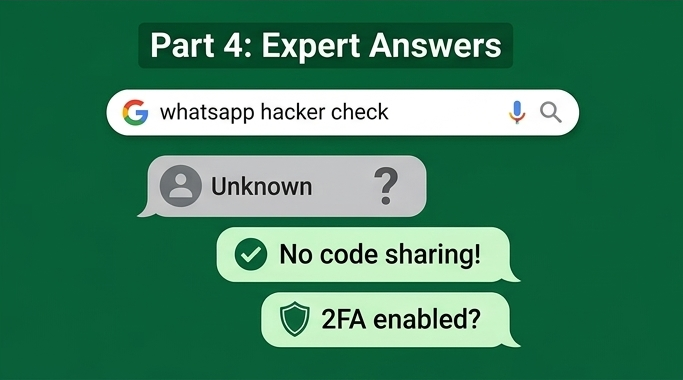
Can someone hack my WhatsApp by just having my number?
No. They need the physical SIM card or the 6-digit verification code sent to that number. However, they can use “spoofing” to make it look like they are you.
How do I know if my WhatsApp is being monitored?
Check for these signs:
- Battery Drain: Spyware often runs in the background, consuming power.
- Unrecognized Devices: Check your “Linked Devices” list.
- Odd Behavior: Messages being marked as “read” before you’ve opened them.
Are WhatsApp tracker apps legal?
This depends on your jurisdiction. Generally, monitoring your minor child’s device is legal. Monitoring an adult without their consent is often illegal and can lead to severe legal consequences. Always consult local laws before installing tracking software.
Part 5: The Future of WhatsApp Security
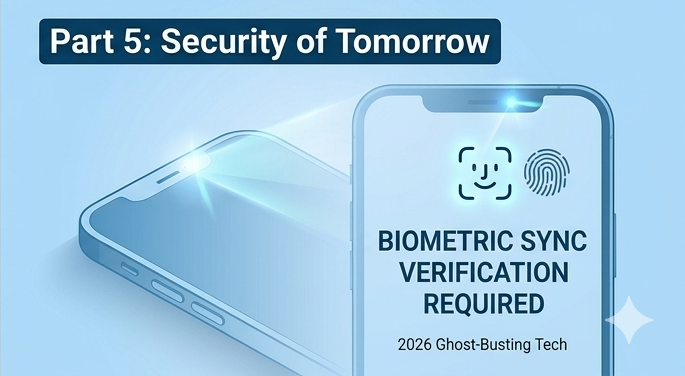
By 2026, we expect WhatsApp to implement Biometric Ghost-Busting. This would require a fingerprint or FaceID scan every time a message is sent from a linked device, making “Ghost Pairing” virtually impossible. Until then, the burden of security lies with the user.
When talking about end-to-end encryption in 2026, it’s not just about stopping hackers; it’s also about understanding how governments around the world are squeezing digital spaces. We have already seen extreme examples of this regulatory shift closer to home, where entire platforms are taken down overnight under the guise of public safety. To understand how these regulations can escalate rapidly, read our comprehensive analysis on why Nepal banned social media and YouTube, including its real causes and future consequences.
Final Takeaway
The digital world is a mirror of the physical one—there are locks, and there are thieves. By understanding how scams work and utilizing tools like Multi-Factor Authentication and Legitimate Trackers, you can ensure your communication remains private and your family stays protected.
5 Pro-Tips for Universal Digital Safety:
- Treat QR Codes like suspicious links: Never scan a QR code sent via chat unless you were expecting it.
- Use a Privacy Screen: Physical spying is just as common as digital.
- Update Religiously: Most “hacks” exploit old versions of apps.
- Set a “Safety Phrase”: If a friend asks for money on WhatsApp, ask them a question only they would know the answer to.
- Don’t click “Check this out!”: Generic, high-energy messages are almost always malicious.
Frequently Asked Questions (FAQ)
1. What is the biggest privacy threat to WhatsApp in 2026?
While end-to-end encryption remains strong, the primary threats in 2026 revolve around metadata tracking and advanced phishing. Sophisticated scams often use AI-generated voices or videos to trick users, making it more important than ever to verify the identity of your contacts.
2. Does WhatsApp’s end-to-end encryption protect my metadata?
No. While the content of your messages and calls is encrypted, metadata (who you talk to, how often, and at what time) is still visible to the platform. To minimize this footprint, it is recommended to use features like Disappearing Messages and to limit the information shared in your “About” and “Profile Photo” sections.
3. How can I protect my account from being hacked?
The most effective defense is enabling Two-Step Verification (2FA). This requires a personal PIN in addition to the SMS code when registering your phone number on a new device. Additionally, never share your verification codes with anyone, even if they claim to be from “WhatsApp Support.”
4. Are “WhatsApp Mods” (like GBWhatsApp) safe to use?
No. Third-party versions of WhatsApp are not authorized and pose a significant security risk. These apps can bypass privacy protocols, inject malware into your device, and often lead to your account being permanently banned by official WhatsApp servers.
5. Can government agencies surveil my WhatsApp conversations?
Because of end-to-end encryption, neither WhatsApp nor parent-company Meta can read your message content. However, they can be legally compelled to provide metadata or unencrypted backups stored on Google Drive or iCloud. To prevent this, ensure you enable End-to-End Encrypted Backups in your chat settings.
6. Is it safer to use WhatsApp on a Desktop or Web?
The official WhatsApp Desktop app is generally considered more secure than the browser-based WhatsApp Web. Browsers are more susceptible to malicious extensions and “session hijacking” scripts. Always ensure you log out of secondary devices when using a public or shared computer.

Dal Bahadur is a passionate tech enthusiast, hardware reviewer, and the founder of Phadera Tech. With years of experience in mobile technology and digital troubleshooting, he specializes in deep-dive smartphone reviews, gadget guides, and practical tech tips. His goal is to help readers make informed decisions before buying their next gadget.